
Survival
Explore Resource Worlds, Create your own Claims and Builds, Enchant your Tools, Build your own Farms and Shops, the world is your imagination. Here you will find everything you need to know about EnchantedMC's Survival.
Apart from this Wiki we have a small help menu with our general features in-game which you can right-click or manually check through /menu.. Every player starts with this in your inventory on your 9th slot and may remove the item in /toggle.
Any further questions can always be asked in one of our discord servers.
EnchantedMC Survival Discord Server
EnchantedMC Discord Server
Different Worlds
Claim Worlds
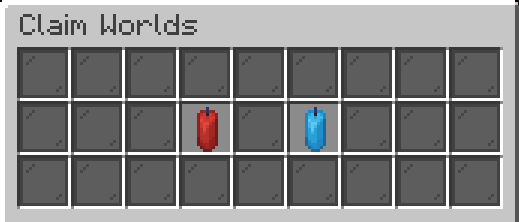
There are two claim worlds both being 15,000 x 15,000 blocks for you to explore, build your base, setup your playershops, and more! You cannot enter the Nether or End dimension and must go to Resource Worlds to do so.
Use /rtp to find a new place to explore. In the menu, choose one of the two worlds and teleport to a random location. Random teleporting always places you in a safe spot on land. It will not place you in water, lava, the sky, or on dangerous blocks.
If you need help with claiming type /claimhelp for a complete guide.
Resource Worlds
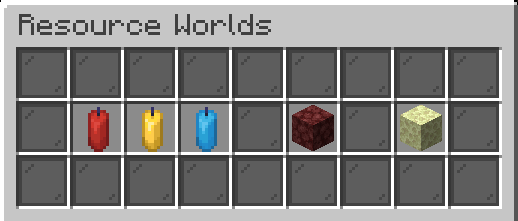
We have also included multiple Resource Worlds to explore. Use /resourceworld to teleport to a random location in one of the worlds. There you can gather items & materials without dismantling the claim world.
Each Overworld Resource World is 5,000 x 5,000 blocks. It resets automatically at random times throughout the day and generates with a new seed. You cannot claim land there. Do not build anything you wish to keep.
The Nether Dimension is 10,000 x 10,000 blocks.
The End Dimension is 20,000 x 20,000 blocks.
Homes
Every player is able to use /sethome <name>. A higher store rank will grant you permissions to set even more homes at different locations. Homes are private warps you may use to get back to the exact location you set a home at.
- Create a Home through /sethome <name>.
- Delete a Home through /delhome <name>.
- Teleport to a Home with /home <name>.
- View and Edit all your homes in a menu with /home.
To change the icon of you home simply hold an item of choice and right click the home warp in the /home menu. Home names must be unique. Creating a new home with an existing name replaces the location of the old one.
Home Count per Store Rank
Player |
VIP | 3
MVP | 10
Elite | 15
Legend | 25
Enchanted | 35
Enchanted+ | 50
Player Warps
Create player warps at your convenience and allow other players to visit your builds, player shops, public grinders, or other community places.
To create, delete, or edit a player warp check the commands tab.
Player Warp Commands
- /pw | Opens up a menu to view all community player warps to visit.
- /pw create <name> [category] | Creates a new player warp with the specified name.
- /pw delete <name> | Deletes your player warp with the specified name.
- /pw update <name> | Updates the location of the specified pw.
- /pw visit <name / user> | Instantly visits the named player warp. If the name is not specified it will show you all available player warps.
Categories for Player Warps: Shop, Farm, Grinder, Friends, Build, Minigame, Event, Other.
Player Shops
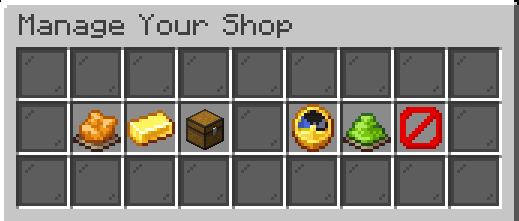
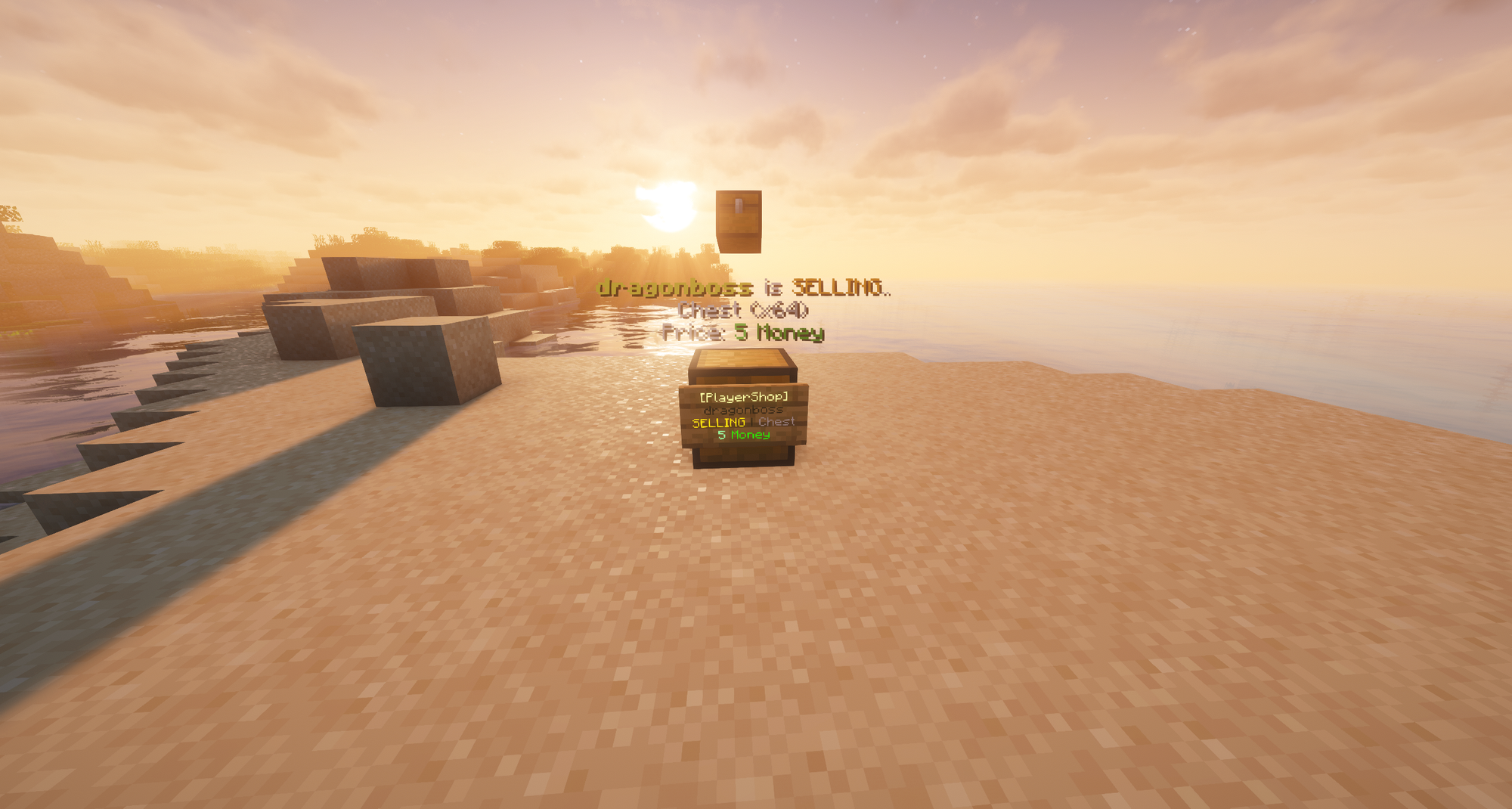
Chest Shops lets you turn a chest into a player shop so other players can buy from it or sell items to it. To create one, place a chest, hold an item you wish to buy or sell, and run /pshop create. After that sift right click the sign to edit the shop or use the commands shown below.
Player Shop Commands
- /pshop create | Create a shop (hold item you wish to buy or sell, look at chest, and run the command).
- /pshop delete | Delete the player shop you're looking at.
- /pshop delete confirm | Confirm deletion.
- /pshop buy/sell | Change if you're selling or buying an item.
- /pshop amount <price> | Set your shop's price.
- /pshop find <item> | Able to find any shop selling <item>.
You can also shift click the Player Shop to open a menu where you can edit it. The Player Shop is the specifically the sign and you must look at the sign for all the commands to work.
Index
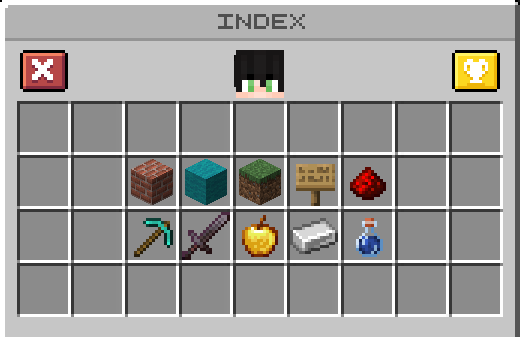
Discover new blocks and items on your adventures, keep track and view them here in the /index. Brag to everyone about how many unique blocks and items you have found by typing [index] in chat. The best way to find new items is to explore the Resource Worlds and visit the Nether & End dimension through them.
There are collectively over 1,500 blocks and items for you to collect and deposit!
Jobs
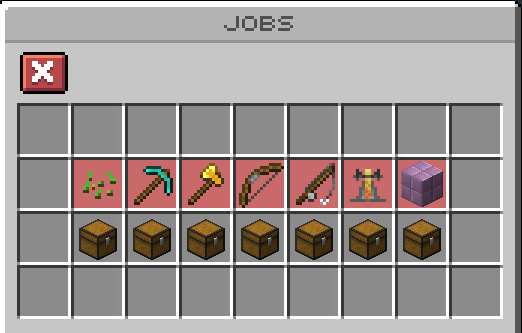
Place blocks, Breed Animals, Chop Logs, Catch Fish, and more. Pick from one (up to four) of our 7 /Jobs to gain Money from them. Each Job requires you to do something different from the others.
As you start a Job you'll be limited to a small amount of tasks. Upon completing those tasks you'll be rewarded with Job Experience, and Money. After progressing to new Job Levels you'll unlock more and more tasks that reward both more Experience and Money.
To view the experience gained, tasks available, and money gained click the chest in the /jobs menu.
Leaderboards
/leaderboard is an individual competitive aspect which uses a point system in a bunch of different aspect of the game to win. This ranges from Voting to Monsters Killed and much more. Each category can give you up to 10 points towards the Points Leaderboard and at the end of the month the player with the most points across the board will win Credits.
Leaderboard Payouts
First Place | 5,000 credits
Second Place | 4,000 credits
Third Place | 3,000 credits
Fourth Place | 2,000 credits
Fifth Place | 1,000 credits
Sixth Place | 750 credits
Seventh Place | 500 credits
Eighth Place | 250 credits
Ninth Place | 100 credits
Tenth Place | 50 credits
Dynamic Shop
Buy and sell directly to the /shop, with prices that shift based on supply and demand. Items that are frequently sold will have their sell multiplier lowered. Items that are sold less will have the opposite effect and get their multiplier increased.
Keep track of the "Trending Items" at the top of the /shop menu to view the top 5 items that are on high demand, and have their sell multiplier lowered most.
Skills
As you progress in Survival may it be by collecting resources, grind money through jobs, or anything else you'll gain experience towards your /skills. Doing so will unlock unique abilities that grant extra drops, replant crops, find rare treasure, or even mine entire trees at once.
To use an ability simply Right-Click your tool once the required level is met.
View your skill level, experience, requirements, and abilities in the /skill menu.
Quests
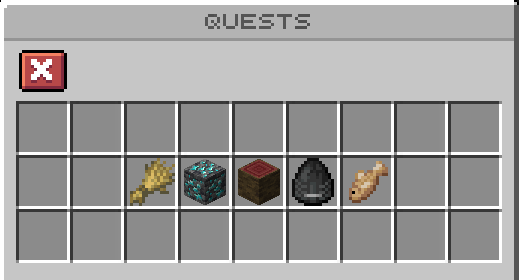
/quests are a gameplay mechanic that allows new players to explore the world and earn Quest Key rewards for doing tasks. Different quests have different tasks that can require players to Harvest Crops, Mine Ores, Catch Fish, Slay Mobs, or Cut Trees.
Player Levels
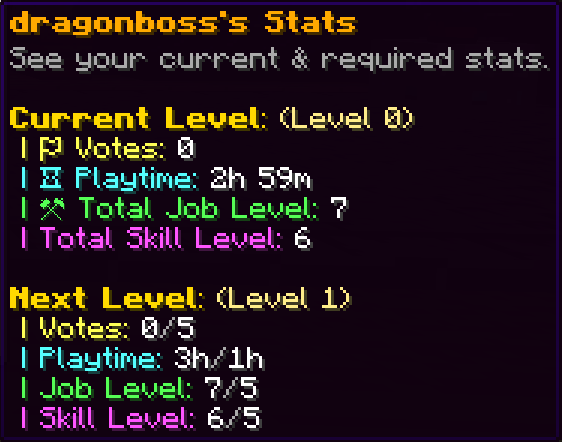
As players collect playtime, get job/skill levels, and vote for the server their Player Level will go up granting you Claim Blocks and Level Key(s) per level. Every 5 levels gain an additional credits and permanent Money & EXP Multiplier.
View your level, rewards, and requirements in the /level menu.
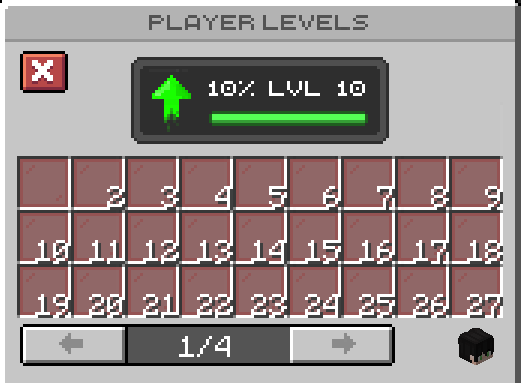
View your own statistics, level, and requirement for the next level by hovering over your own player head at the bottom right of the /level menu.
Custom Enchants
Open the enchanter by typing /enchanter. There you can buy tiered enchantment books with Experience you've gained from slaying Animals & Mobs (or players👀). Books come in four tiers: Common, Rare, Legendary, and Mythical.
Right click each category to view which books are available. (Shift-)Right-click a book to reveal a random enchant from its tier.
Players are able to enable or disable a /toggle feature for Enchanting books to instantly go into your /books menu.
When you examine an enchantment book to reveal an enchantment, it will have a random success rate which you can increase through using Dust. Dust may be obtained from using the tinker on books you do not wish to keep. This has to be done through the /books menu.
Each Item has a limited amount of Enchant Slots available.
Scrolls & Books
Other than Enchantment Books there are books that can be won from Keys and otherwise to upgrade your gear with.
- Black Scroll | Removes a random enchant from your item and gives you back the book.
- Repair Book | Fully repairs the item.
- Upgrade Book | Upgrades a random enchant. (Cannot go over the cap.)
- Slot Book | Adds an additional enchantment slot onto the item.
(Slot Books may be used until the tool reaches 8 Enchant Slots.)
Store Rank Perks
VIP Rank
- VIP Perks
0.1x Money & EXP Multiplier
3 Homes
3 Auction Slots
2 Player Vaults
2 Player Warps
10 Player Shops
125 Claim Blocks each Hour
Ability to use [item] in chat to show your item - VIP Commands
/msgtoggle
/tptoggle
/wb | /craft
/kit vip
/kit monthlyvip
MVP Rank
- MVP Perks
0.1x Money & EXP Multiplier
10 Homes
5 Auction Slots
3 Player Vaults
4 Player Warps
15 Player Shops
150 Claim Blocks each Hour
Ability to use [item] in chat to show your item
Ability to join 2 jobs at once - MVP Commands
/msgtoggle
/tptoggle
/wb | /craft
/ec
/direction
/location
/sell hand
/kit mvp
/kit monthlymvp
Elite Rank
- Elite Perks
0.2x Money & EXP Multiplier
15 Homes
7 Auction Slots
4 Player Vaults
6 Player Warps
40 Player Shops
175 Claim Blocks each Hour
Ability to use [item] in chat to show your item
Ability to join 2 jobs at once - Elite Commands
/msgtoggle
/tptoggle
/wb | /craft
/ec
/direction
/location
/anvil
/trash
/sell hand
/kit elite
/kit monthlyelite
Legend Rank
- Legend Perks
0.3x Money & EXP Multiplier
25 Homes
10 Auction Slots
5 Player Vaults
8 Player Warps
60 Player Shops
200 Claim Blocks each Hour
Ability to use [item] in chat to show your item
Ability to use color codes on signs (&1-9 &a-f)
Ability to join 3 jobs at once - Legend Commands
/msgtoggle
/tptoggle
/wb | /craft
/ec
/direction
/location
/anvil
/trash
/stonecutter
/grindstone
/loom
/near
/sell hand
/sell all
/kit legend
/kit monthlylegend
Enchanted Rank
- Enchanted Perks
0.4x Money & EXP Multiplier
35 Homes
15 Auction Slots
7 Player Vaults
12 Player Warps
80 Player Shops
250 Claim Blocks each Hour
Ability to use [item] in chat to show your item
Ability to use color codes on signs (&1-9 &a-f)
Ability to join 3 jobs at once
Ability to fly in the claim world
No Teleportation cooldown - Enchanted Commands
/msgtoggle
/tptoggle
/wb | /craft
/ec
/direction
/location
/anvil
/trash
/stonecutter
/grindstone
/loom
/feed
/near
/depth
/ext
/phantomtoggle
/sell hand
/sell all
/fly
/kit enchanted
/kit monthlyenchanted
Enchanted+ Rank
- Enchanted+ Perks
0.5x Money & EXP Multiplier
50 Homes
25 Auction Slots
10 Player Vaults
20 Player Warps
100 Player Shops
300 Claim Blocks each Hour
Ability to use [item] in chat to show your item
Ability to use color codes on signs (&1-9 &a-f)
Ability to join 4 jobs at once
Ability to fly in the claim world
No Teleportation cooldown - Enchanted+ Commands
/msgtoggle
/tptoggle
/wb | /craft
/ec
/direction
/location
/anvil
/trash
/stonecutter
/grindstone
/loom
/feed
/near
/depth
/ext
/phantomtoggle
/top
/bottom
/sell hand
/sell all
/fly
/kit enchantedplus
/kit monthlyenchantedplus (Contains 100 credits!)
Voting
Vote to support the server and gain vote keys, credits, and much more!
 Admin
Admin